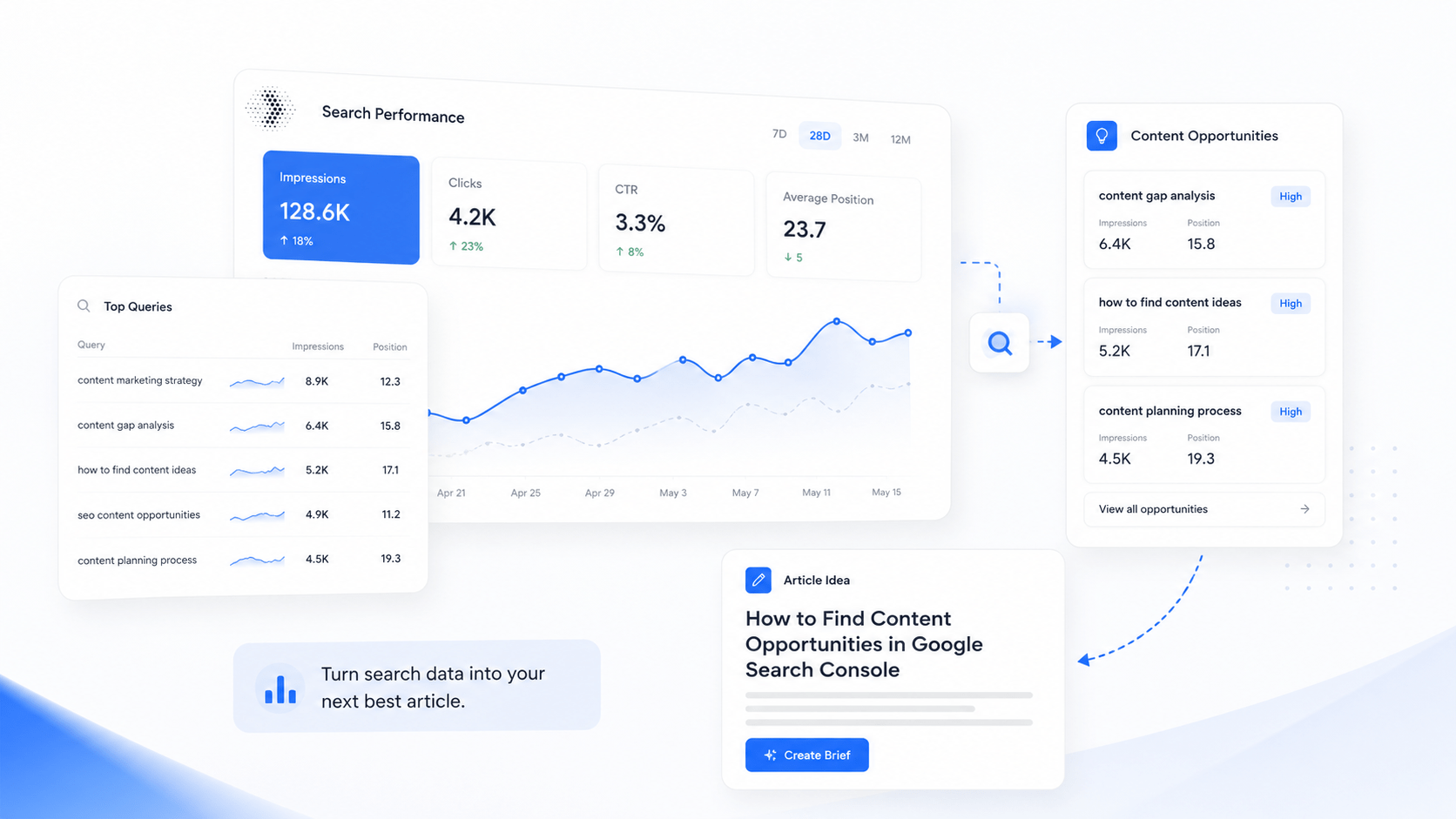
To find content opportunities in Google Search Console, you need to look at the real search data your website already generates. Instead of guessing what to write next, you can use actual search queries, impressions, clicks, click-through rate, and average position data. These signals show you where your site already has visibility and where better content could bring more organic traffic. This guide covers what content opportunities are, which metrics matter most, and how to turn Search Console data into SEO-ready articles that support long-term website growth.
Quick Answer
To find content opportunities in Google Search Console, look for queries with high impressions, low clicks, low click-through rate, or average positions between 8 and 20. These signals often show topics where your website already has search visibility but needs better content, improved titles, stronger internal links, or a dedicated article to turn impressions into traffic.
What Is a Content Opportunity in SEO?
A content opportunity is a keyword, query, page, or topic that could bring more organic traffic if you create, improve, or better optimise content around it. Furthermore, content opportunities are not always obvious. They often hide inside data you already have access to.
For example, a query with many impressions but very few clicks tells you that Google is already showing your site for that topic. However, something is stopping people from clicking. That is a clear signal worth acting on.
Common types of content opportunities include:
- A query with high impressions but low clicks
- A page ranking between positions 8 and 20
- A topic your website appears for but does not fully answer
- A blog post ranking for unexpected related searches
- A service page that needs supporting educational content
- A group of related queries that could form a topic cluster
| Search Signal | What It Means | Best Action |
|---|---|---|
| High impressions, low clicks | Your page appears in search results but does not attract many visitors. | Improve the title, meta description, or create a more relevant article. |
| Average position 8–20 | Your content is close to stronger visibility but needs improvement. | Refresh the page, add depth, or build supporting content. |
| Low CTR | People see your result but are not choosing it. | Rewrite the title and meta description to better match the search intent. |
| Unexpected related queries | Google associates your website with a topic you may not target directly. | Create a dedicated article or add a new section to an existing page. |
| Multiple similar queries | There may be a larger content theme worth building around. | Group the queries into one strong article or future topic cluster. |
Why Google Search Console Is Useful for Finding Content Ideas
Keyword research tools are useful, but they often rely on estimated search volume and third-party data. Google Search Console shows what is actually happening on your website. That makes it especially practical for finding low-hanging SEO content opportunities because you can see where Google already tests your site in search results.
Additionally, Search Console shows you queries you may never have intentionally targeted. These unexpected queries often reveal content gaps that generic keyword tools would not surface. As a result, your content planning becomes more grounded in real search data rather than guesswork.
Key reasons to use Search Console for content strategy:
- It uses real data from your own website, not industry estimates
- It shows what people actually search before seeing your site
- It reveals pages that already have search visibility
- It uncovers keywords you did not intentionally target
- It helps you prioritise based on impressions and ranking position
- It prevents you from writing articles with no connection to your existing site
Above all, Search Console keeps your content planning grounded. It stops you from chasing random article ideas and instead points you toward topics your site already has a foothold in.
The Google Search Console Metrics That Matter for Content Planning
Before you can find content opportunities in Google Search Console effectively, you need to understand the four core metrics. Each one tells you something different about your pages and queries.
| Metric | What It Shows | How to Use It for Content |
|---|---|---|
| Clicks | The number of people who clicked your result from Google Search. | Find pages and queries that already bring organic traffic. |
| Impressions | The number of times your site appeared in search results. | Find topics where your site already has visibility. |
| CTR | The percentage of impressions that became clicks. | Find pages that may need stronger titles or better search intent alignment. |
| Average position | The average ranking position for a query or page. | Find keywords close to page one or pages that need improvement. |
Do not judge one metric in isolation. A query with high impressions and low clicks may be an opportunity, but only if it is relevant to your business and matches content you can answer well. Similarly, a low CTR is not always a problem If the query has a featured snippet or AI overview reducing clicks across the board.
How to Find Content Opportunities in Google Search Console: Step by Step
The best way find content opportunities in Google Search Console, you need a clear, repeatable workflow. Therefore, follow these steps in order to move from raw data to useful article ideas.
Step 1: Open the Performance Report
First, open Google Search Console and choose your website property. Go to Performance, then open Search results. Set a date range that gives you enough data to work with.
- Use 3 months for recent performance signals
- Use 6 months for a broader picture
- Use 12 months if your site has low traffic or covers seasonal topics
Newer or smaller websites often need a longer date range to gather enough query data. Consequently, do not rely on just 28 days if your site is still building organic traffic.
Step 2: Review Queries With High Impressions
High impressions show that Google is already showing your site for a topic. Sort your queries by impressions and look for patterns. Specifically, look for:
- Queries relevant to your product or service
- Queries with clear informational intent
- Queries that could become useful blog posts or guides
- Queries where the current ranking page does not fully answer the search
A query with impressions but few clicks is not automatically a problem. It may simply mean your page ranks too low, your title is not compelling, or the search intent is not fully matched by the current page.
Step 3: Find Queries With Low CTR
Low CTR can point to several issues. However, each issue has a practical solution. Common causes of low CTR include:
- The title is too vague or does not match the search query
- The meta description does not encourage a click
- The result ranks too low to attract attention
- A featured snippet, AI Overview, or ads reduce overall clicks
For low CTR pages, rewrite the title, improve the meta description, and make sure the page directly answers the search intent. Additionally, check whether a stronger content structure could help the page move higher in rankings.
Step 4: Look for Average Positions Between 8 and 20
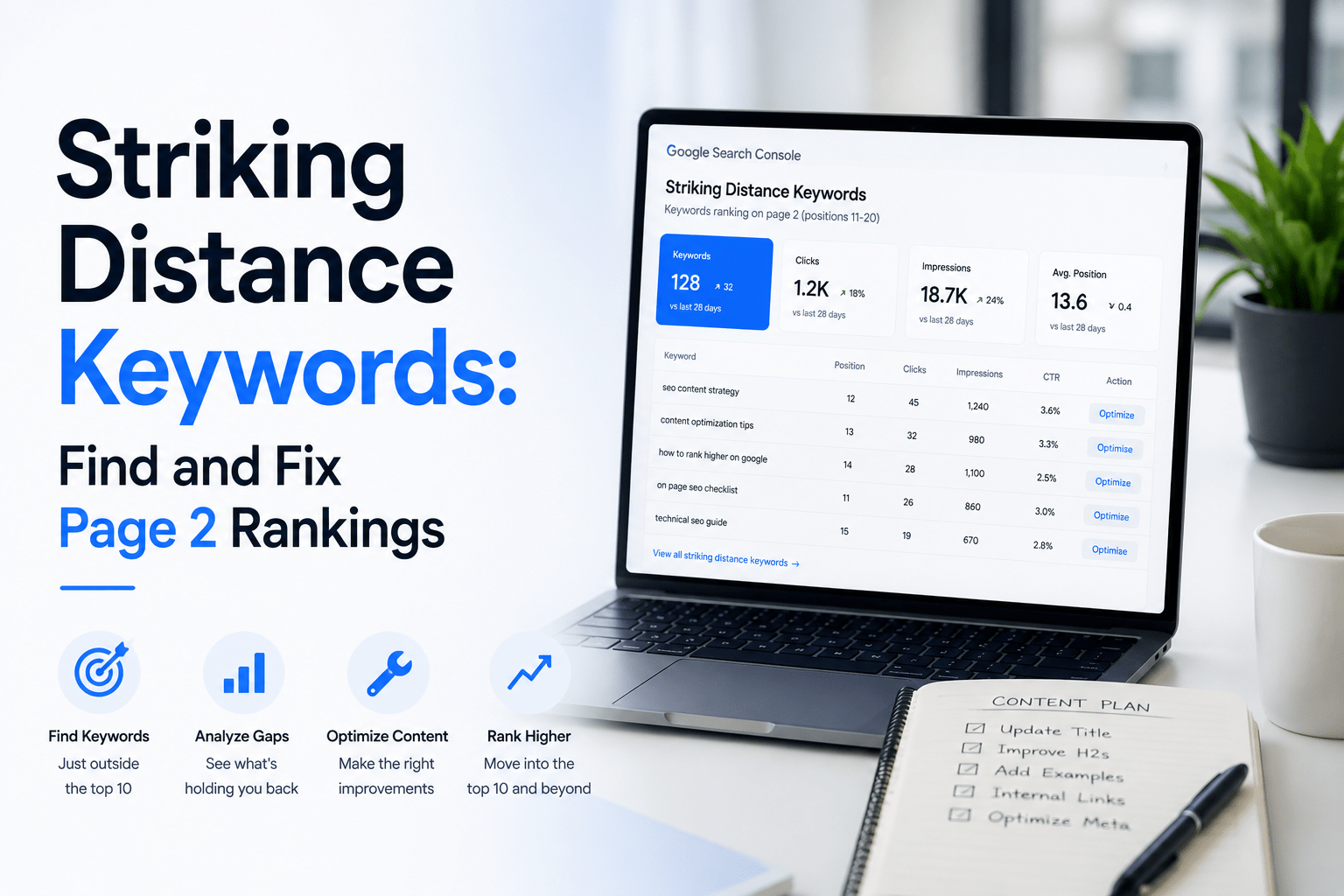
Queries where your pages rank between positions 8 and 20 are often the most actionable SEO content opportunities. These are sometimes called page two keywords. Your site already has some visibility for these queries. Therefore, the gap to stronger rankings may be smaller than it appears.
Possible improvements for these pages include:
- Adding missing sections that answer related questions
- Improving headings and content structure
- Adding practical examples or comparison tables
- Updating outdated information
- Improving internal linking to the page
- Writing a clearer introduction and summary
Step 5: Group Related Queries Together
Do not create a separate article for every keyword variation. Instead, group related queries together and use them to support one strong, focused article. For example, these queries could all support a single piece of content:
- how to find content opportunities in Google Search Console
- Google Search Console blog ideas
- find SEO article ideas from Search Console
- Search Console content strategy
- Google Search Console content opportunities
Grouping queries helps you build articles that answer a broader search intent. Consequently, one well-structured article often performs better than five thin ones covering similar ground.
Step 6: Decide Whether to Update a Page or Create a New Article
Not every content opportunity requires a new article. Sometimes, the best action is improving what already exists.
| Situation | Best Choice | Why |
|---|---|---|
| An existing page already answers the query | Update the existing page | The page already has relevance and may only need improvement. |
| The query is related but not fully answered | Add a new section | A focused section can improve relevance without creating duplicate content. |
| The query has a different search intent | Create a new article | A dedicated article can answer the search more clearly. |
| Several related queries point to a broader theme | Create a pillar article | A pillar article can cover the topic deeply and support future articles. |
Step 7: Build a Content Brief
Before writing, create a simple content brief. A good brief keeps the article focused and reduces rewrites. Your brief should include the primary keyphrase, search intent, target audience, suggested headings, and related questions the article should answer. Additionally, note any tables, examples, external links, and an FAQ section that would add value.
Google’s SEO Starter Guide is a useful reference for understanding what makes content both useful and indexable.
Step 8: Publish, Submit, and Track
After publishing, submit the URL in Google Search Console using the URL Inspection tool. Then track impressions, clicks, CTR, and average position over time. Review performance after 4 to 8 weeks. Finally, update the article based on any new query data that appears after indexing.
Example: Turning Search Console Data Into a Blog Post
A practical example helps show how this workflow applies in real situations. Consider a small SaaS website that notices impressions appearing for these search queries:
- SEO content tool
- Google Search Console blog ideas
- content opportunity tool
- how to find blog topics for SEO
These queries suggest that Google is starting to associate the site with SEO content planning topics. Instead of writing a random article, the team could use this data to plan a focused, practical guide that answers a clear need.
| Query | Likely Search Intent | Content Opportunity |
|---|---|---|
| Google Search Console blog ideas | The user wants to turn search data into article topics. | Create a guide on using Search Console for blog planning. |
| SEO content tool | The user is researching software to support SEO content. | Create an educational article explaining SEO content tools. |
| content opportunity tool | The user wants a way to find SEO opportunities faster. | Create a workflow article about content opportunity discovery. |
| how to find blog topics for SEO | The user wants a practical method for generating article ideas. | Create a step-by-step guide on data-led SEO article planning. |
This approach avoids guessing. Instead, every article idea comes from real search queries with existing impressions. That is the core principle behind data-led SEO content planning.
How to Prioritise Content Opportunities
Not every query is worth targeting. Therefore, use a simple scoring framework to decide where to focus your effort first. Rate each potential opportunity across five criteria.
| Criteria | Question to Ask | Score |
|---|---|---|
| Business relevance | Does this topic relate to what you sell or offer? | 1–5 |
| Search visibility | Does the query already have impressions or rankings? | 1–5 |
| Ranking potential | Can you create a better answer than what currently ranks? | 1–5 |
| Conversion potential | Could this reader become a lead, user, or customer? | 1–5 |
| Content fit | Can your brand explain this topic with credibility? | 1–5 |
The best content opportunities combine relevance, visibility, ranking potential, and business value. Furthermore, a query with the highest impressions is not always the best place to start. In contrast, a query that scores well across all five criteria is often a much smarter use of your writing time.
Google’s guidance on creating helpful, people-first content reinforces this approach. Content that genuinely answers a search need consistently performs better over time.
How Remway Helps You Find Content Opportunities Faster
You can find content opportunities in Google Search Console manually, but the process becomes time-consuming when you have many pages, queries, and potential article ideas to review. Additionally, moving from raw data to a finished SEO-ready article requires several steps that are easy to lose track of.