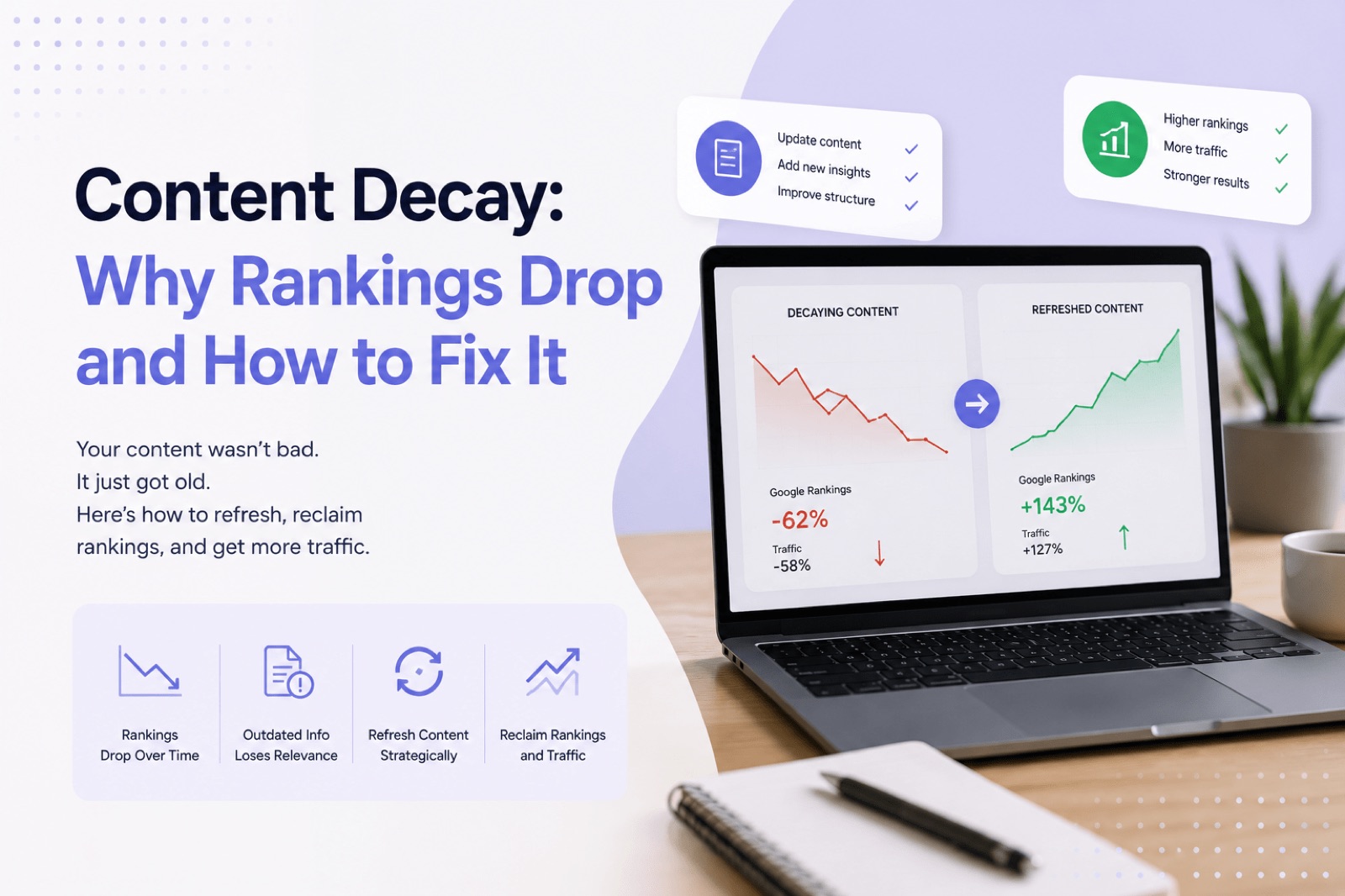
Content decay is the gradual decline in organic traffic, impressions, and rankings that affects published articles over time. Even pages that once performed well can quietly slip down search results without any obvious warning. Understanding why content decay happens — and how to fix it — is one of the most practical things you can do to protect your website’s search visibility. This guide walks you through the causes, the signals to watch for, and a clear process for refreshing content before it costs you more traffic.
What Content Decay Actually Means
Content decay is the process by which a previously strong page loses its ranking position, click-through rate, or impressions in Google over weeks or months. It does not happen overnight. Instead, it tends to creep up gradually, making it easy to overlook until the traffic drop becomes significant.
Content decay affects almost every published page eventually. Search engines continuously re-evaluate content against newer, more accurate, or more relevant alternatives. As a result, even well-written articles can become less competitive simply because the search landscape changes around them.
Quick Answer: What Causes Content Decay?
Content decay is typically caused by outdated information, stronger competing pages, shifting search intent, and poor internal linking. Google rewards content that best satisfies the current search query. Therefore, when your article no longer does that as well as alternatives, your rankings naturally fall.
Why Google Rankings Naturally Decline Over Time
Google’s algorithm favours content that is accurate, relevant, and useful right now. Additionally, it constantly compares your page against newly published or recently updated competitors. When those competitors produce something more thorough or more current, Google adjusts its rankings accordingly.
Furthermore, search behaviour itself shifts. Queries evolve, new questions emerge, and what people mean when they type a search term in 2026 may differ from what they meant two years ago. If your article was written for the old intent, it will gradually lose relevance.
Seasonal fluctuations also play a role. However, the more persistent driver of content decay is the growing gap between what your article covers and what Google believes the searcher actually needs today.
Common Causes of Content Decay
Content decay rarely has a single cause. More often, several smaller issues combine to push a page down the rankings. Here are the most common ones:
- Outdated information: Statistics, tools, prices, or processes mentioned in the article are no longer accurate.
- Stronger competitors: Other sites have published more detailed, more recent, or better-structured content on the same topic.
- Changing search intent: The searcher’s goal has shifted since the article was first written.
- Poor internal linking: Pages without internal links pointing to them receive less crawl attention and appear less authoritative to Google.
- Missing depth: The article covers a topic at a surface level while newer competitors go deeper.
How Competitors Accelerate Content Decay
When a competitor publishes a stronger article on the same topic, Google often re-ranks both pages. Your article does not have to get worse to lose ground. The competitor simply needs to be better. This is why content decay can affect even technically sound articles that have never been touched since publication.
How to Identify Content Decay Using Google Search Console
Content decay is most reliably identified through Google Search Console, where you can compare impressions, clicks, average position, and CTR over different time periods. Specifically, comparing the last three months against the same period from one year ago reveals which pages are quietly declining.
To find decaying pages, follow these steps in Google Search Console:
- Open the Performance report and set a custom date range covering the past twelve months.
- Sort pages by impressions and look for pages where impressions are falling while average position is dropping.
- Flag pages where clicks have declined despite stable or growing impressions — this often signals a CTR problem linked to stale titles or meta descriptions.
- Cross-reference with pages that previously ranked in positions 4–15, as these are most vulnerable to content decay.
For a deeper walkthrough of finding these content opportunities in your search data, read the guide on how to find content opportunities in Google Search Console. Additionally, Remway helps identify exactly which pages are worth refreshing by analysing your real Google Search Console data and surfacing declining pages alongside content planning recommendations.
Healthy Content vs Decaying Content: A Comparison
| Signal | Healthy Content | Decaying Content |
|---|---|---|
| Impressions over 90 days | Stable or growing | Declining month on month |
| Average position | Holding steady or improving | Slipping below previous range |
| Click-through rate (CTR) | Consistent with position norms | Falling despite similar position |
| Backlinks and internal links | Active, relevant, and growing | Sparse, outdated, or missing |
| Content freshness | Updated within the past year | Unchanged for 12+ months |
| Search intent match | Matches current SERP format | Misaligned with current results |
Which Pages to Refresh First
Content decay affects some pages far more than others, so prioritisation matters. Refreshing every article at once is not practical or necessary. Instead, focus your effort where it will have the most impact on organic traffic and search visibility.
Prioritise pages that meet these criteria:
- Pages that previously ranked in positions 5–20 and have slipped further — these have the most recovery potential.
- Pages targeting high-volume queries where even a small ranking improvement delivers meaningful traffic.
- Pages on time-sensitive topics, such as industry tools, pricing, regulations, or annual statistics.
- Pages with strong backlinks that are no longer converting impressions into clicks.
- Articles that rank for queries where the SERP format has changed, for example, queries now showing featured snippets or AI Overviews.
If you are also thinking about AI search visibility, refreshed pages are more likely to be selected as sources by AI-generated answers in search results. Therefore, keeping existing content accurate and well-structured supports both traditional rankings and emerging AI search formats.
A Step-by-Step Process for Refreshing Old Content
A practical content decay fix requires more than adding a paragraph or changing the date. Here is a clear process for updating old articles effectively:
Step 1: Audit the Existing Page
Read the article end to end. Flag any outdated statistics, deprecated tools, or advice that no longer reflects current best practice. Also note structural gaps where a competitor covers a subtopic you have missed entirely.
Step 2: Review the Current SERP
Search for the target query and study the top five results. Compare their structure, depth, and format against your article. Consequently, you will spot the specific gaps your refresh needs to close.
Step 3: Update the Content
Replace outdated information with accurate, current details. Expand thin sections. Add examples, a table, or a checklist if the topic calls for it. Furthermore, update the title and meta description if they no longer reflect what the article delivers.
Step 4: Improve Internal Linking
Add internal links from relevant newer pages to this article, and add links from this article to related content on your site. Internal linking helps Google understand the relationship between your pages and distributes authority more effectively.
Step 5: Update the Published Date
Only update the published or last-modified date after making substantial changes. Changing a date without updating the content does not fix content decay and can reduce trust with both readers and search engines.
Content Refresh Checklist
- All statistics and data points verified as current
- Outdated tools, products, or references removed or replaced
- Title and meta description reviewed and updated
- Internal links added from and to related pages
- SERP format reviewed — article matches current result styles
- Thin sections expanded with examples or additional depth
- Published date updated only after substantial changes
Common Mistakes to Avoid When Fixing Content Decay
Content decay fixes often fail not because the strategy is wrong, but because the execution misses key details. These are the most common mistakes to avoid:
- Only changing the date: This signals nothing to Google unless the content itself has changed meaningfully.
- Rewriting for the sake of it: If a section still works well, leave it. Focus updates on what is genuinely outdated or thin.
- Ignoring search intent changes: If the query now surfaces a different type of content — a video, a tool, a listicle — your update needs to reflect that shift.
- Forgetting internal links: Many content refreshes fix the article text but ignore the internal linking structure, which limits recovery.
- Expecting instant results: Google re-crawls and re-evaluates updated pages over days or weeks. Therefore, allow at least four to six weeks before assessing the impact.
Why Refreshing Old Content Often Beats Publishing New Articles
Publishing new articles is valuable. However, refreshing existing content often delivers faster results with less effort. A page that once ranked well already has backlinks, indexed history, and some level of authority. Furthermore, it is targeting a query you already know has search demand.
New articles start with none of those advantages. They need time to earn backlinks, accumulate clicks, and build ranking history. In contrast, a refreshed article can recover and improve its position within weeks. For small teams or founders managing SEO without a large content budget, fixing content decay is frequently the highest-return activity available.
A data-led content strategy should therefore include a regular review cycle for existing pages — not just a pipeline for new ones. Smarter content planning means treating your existing library as an asset worth maintaining, not just a baseline to build on top of.
Frequently Asked Questions
What is content decay in SEO?
Content decay is the gradual loss of organic traffic, impressions, and search rankings that affects published pages over time. It happens because search intent shifts, competitors publish stronger content, and information becomes outdated. Content decay does not mean an article was poorly written — it means the search landscape has moved on, and the article has not kept pace. Regular audits using Google Search Console help catch it early.
How often should I check for content decay?
A practical approach is to audit your top-performing pages every three to six months using Google Search Console. Compare impressions and average position against the same period from the previous year. Pages that show consistent month-on-month declines in impressions or position are likely experiencing content decay and should be reviewed for a refresh before the drop becomes severe.
Does updating old content help SEO?
Yes, updating old content is one of the most effective SEO activities for recovering lost rankings. When Google re-crawls a substantially updated page, it re-evaluates it against current competitors. A well-refreshed article that better matches search intent and provides accurate, current information can recover its previous position or even improve beyond it. However, minor changes alone rarely move the needle — the update must be meaningful.
Can content decay affect new articles too?
Content decay can begin affecting articles within twelve to eighteen months of publication, particularly in fast-moving industries. Topics involving technology, tools, pricing, regulations, or industry statistics are especially vulnerable. Even a well-structured new article will start to show signs of content decay if it is not reviewed and updated periodically, especially as competitors publish more detailed alternatives on the same queries.
What is the difference between content decay and a Google algorithm update?
Content decay is a gradual, organic process caused by competitors, outdated information, and shifting search intent. A Google algorithm update, in contrast, causes sudden, broad ranking changes across many pages at once. Both can cause traffic drops. However, content decay tends to appear as a slow, steady decline in Google Search Console data over weeks or months, while algorithm updates typically show up as a sharp drop on a specific date.