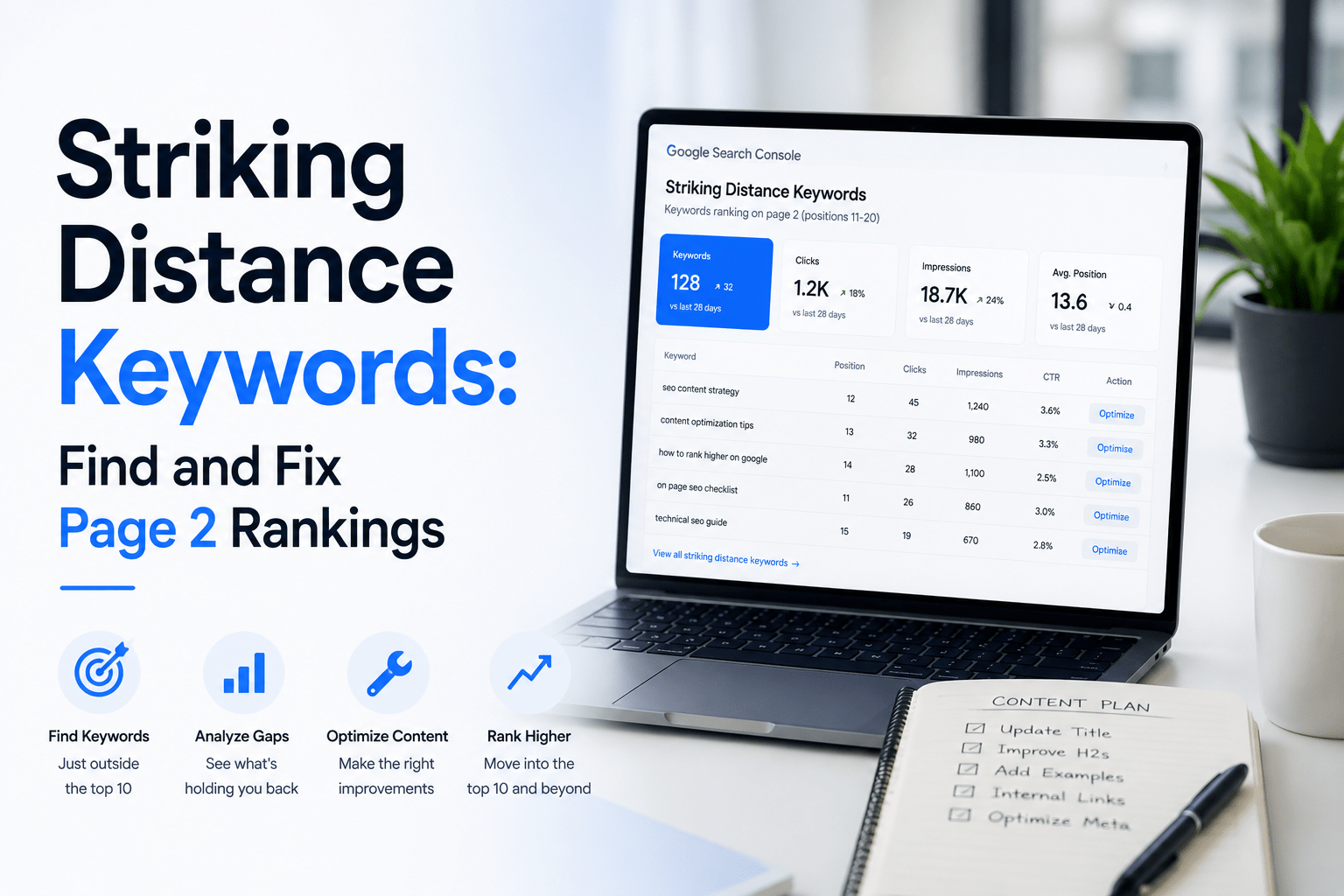
Page two keywords are search queries where your website ranks between positions 11 and 20 on Google. Therefore, they represent one of the most practical SEO opportunities available to any website owner. Your site already has some visibility for these terms. Furthermore, with the right content improvements, you can move them closer to page one and earn significantly more organic traffic. This article explains what they are, how to find them, and exactly how to act on them.
Quick answer: Page two keywords are search queries where your website usually ranks between positions 11 and 20 in Google. They are valuable because your site already has some visibility, but the page may need stronger content, better search intent alignment, improved titles, or more internal links to move closer to page one.
What Are Page Two Keywords?
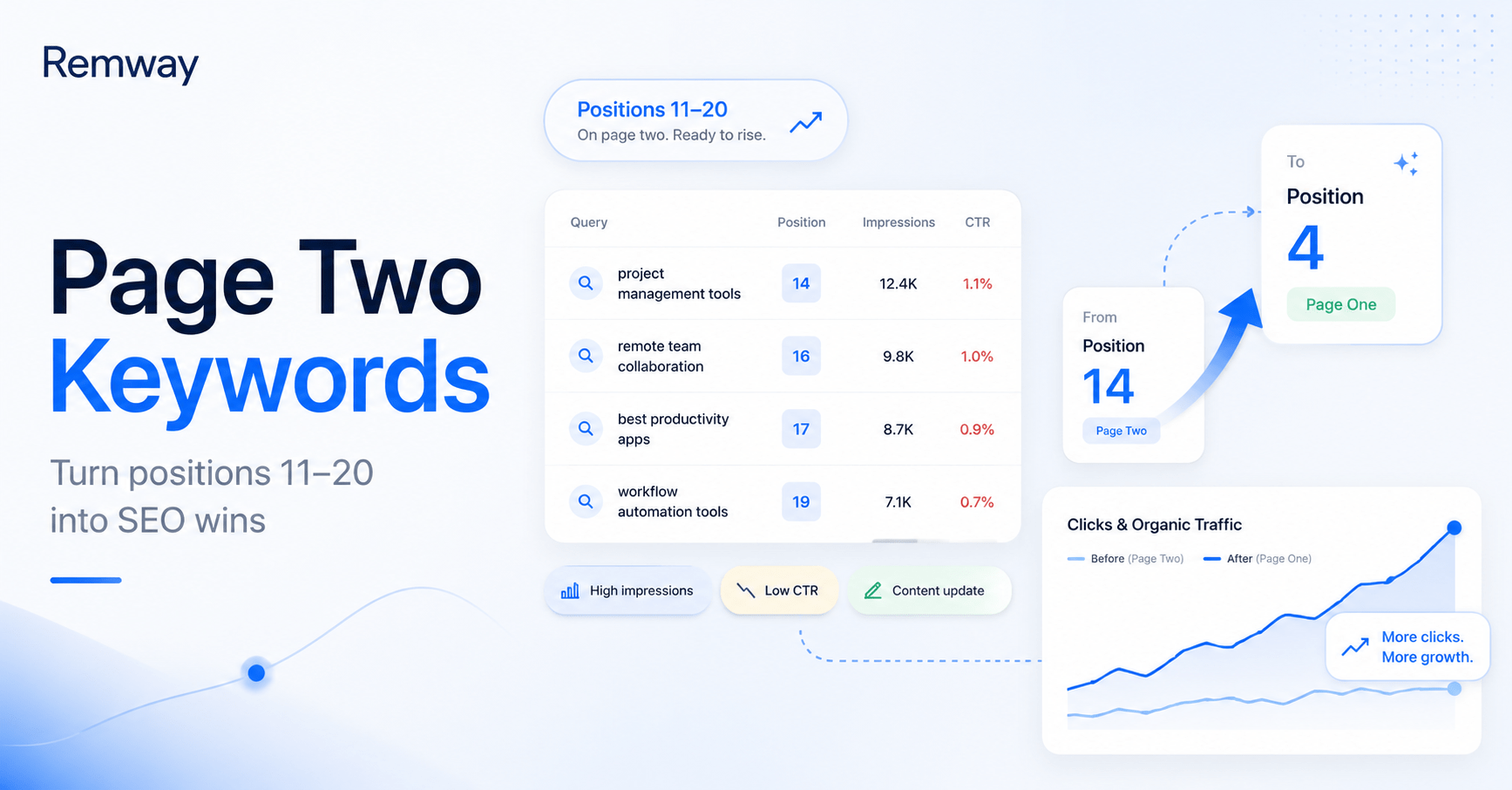
Page two keywords are the search queries that land your pages in positions 11 to 20 in Google search results. In other words, your content is ranking, but most users never see it. Research consistently shows that the first page of Google captures over 90% of all clicks. As a result, position 11 and beyond receives very little traffic despite real search demand existing for those queries.
However, these keywords are not lost causes. Additionally, they are not terms you need to build authority from scratch to target. Your site already ranks for them, which means Google sees your content as relevant. That is a strong starting point for any content strategy.
- Positions 11–15 are closest to page one and often the quickest wins
- Positions 16–20 usually need more significant content improvements
- High impressions on page two keywords signal real search demand
- Low CTR on these queries shows you are missing potential clicks
Finding and improving page two keywords is a core part of data-led SEO. Instead of guessing what to write next, you use real search data to identify exactly where your site needs attention.
Why Page Two Keywords Are Valuable for SEO
Page two keywords are valuable because they require less effort than targeting brand-new keywords. Furthermore, the groundwork is already done. Google has indexed your page, assessed its relevance, and assigned it a position. Therefore, targeted improvements can move the needle faster than publishing entirely new content for untested queries.
Additionally, improving these keywords supports your broader content strategy. Each page that moves from position 14 to position 4 compounds your organic traffic growth over time. Smarter content planning means focusing your effort where the return is clearest.
- Your domain already has some authority for these terms
- Search intent is already partially aligned with your content
- Impressions data confirms users are actively searching for these queries
- Small content updates can produce meaningful ranking improvements
- You avoid the slow process of building authority from zero
For small business owners, founders, and marketing teams with limited time, page two keywords offer a practical path to improving search visibility without starting from scratch.
How to Find Page Two Keywords in Google Search Console
Google Search Console is the most direct tool for finding page two keywords. It shows you real search queries, impressions, clicks, average position, and CTR for your website. Therefore, it removes all guesswork from your content planning process.
Step 1: Open the Performance Report
First, log in to Google Search Console and click on Search results under the Performance section. Set the date range to the last 90 days for a reliable data set. Additionally, make sure both impressions and average position are toggled on in the chart view.
Step 2: Filter by Queries
Next, scroll down to the queries table. This shows every search term that triggered an impression for your website. You can also add a page filter to focus on one specific URL if needed.
Step 3: Sort by Average Position
Click the Average position column header to sort queries by their ranking position. This brings the terms closest to page one to the top of your list. Consequently, you can quickly see which queries sit between positions 11 and 20.
Step 4: Look for Queries Between Positions 11 and 20
Scan the list for queries with an average position between 11 and 20. Pay particular attention to queries with high impressions and low CTR. These are clear content opportunities where users are searching but not clicking through to your site.
Step 5: Check Which Page Is Ranking
Finally, click on a query and then click the Pages tab to see which URL is currently ranking for that term. This tells you whether you should update an existing page or consider a more targeted content approach.
How to Decide Which Page Two Keywords Are Worth Improving
Page two keywords vary in priority. Therefore, not every query between positions 11 and 20 deserves immediate attention. Use the following signals to decide where to focus your effort first.
| Signal | What it means | Priority |
|---|---|---|
| Position 11–15 | Very close to page one, small improvements may be enough | High |
| High impressions | Many users are searching for this term, strong traffic potential | High |
| Clear business relevance | The query aligns with your product, service, or audience | High |
| Low CTR | Users see your listing but do not click, title or meta may need work | Medium |
| Strong search intent match | Your content already answers what the user is looking for | Medium |
| Existing page partially answers query | Content exists but needs expanding or restructuring | Medium |
Focus on high-priority signals first. A query at position 12 with 500 monthly impressions and clear business relevance is far more actionable than a position 19 query with 10 impressions and no direct connection to your audience.
How to Improve Page Two Keyword Rankings
Page two keywords respond well to focused, practical content improvements. Furthermore, many of these changes do not require starting from scratch. Instead, they involve refining what already exists on your page to better match search intent and user expectations.
Content Improvements to Prioritise
- Improve the title tag: Make it more specific and include the target keyword closer to the start
- Add missing sections: Check what competing pages cover that your page does not
- Match search intent better: Make sure the page actually answers what users are searching for
- Add examples: Concrete examples make content more useful and easier to understand
- Add a FAQ section: FAQs address common follow-up questions and support featured snippet eligibility
- Add internal links: Link to the page from other relevant pages on your site to pass authority
- Update outdated content: Replace old statistics, screenshots, or references with current information
- Improve page structure: Use clear H2 and H3 headings so users and search engines can navigate the content
- Add comparison or checklist tables: These improve scannability and often match informational search intent well
Each of these changes helps Google better understand your content. Additionally, they improve the experience for users who do land on the page, which supports longer dwell time and lower bounce rates.
Example: Turning a Page Two Keyword Into a Content Update
Consider a practical example. Your Google Search Console data shows the query Google Search Console blog ideas ranking at position 14. The page has 300 monthly impressions but a CTR of under 1%. That combination is a clear signal worth acting on.
First, check which page is ranking for that query. If you have an existing article that covers the topic loosely, the right move is usually to update and expand it rather than create a new page. Creating a new article risks splitting authority between two similar pages, which can hurt both rankings.
Next, ask whether the page directly answers the search intent behind Google Search Console blog ideas. If not, restructure the article to address that query specifically. Add a dedicated section, improve the title to include the exact phrase, and add internal links from other relevant articles on your site.
For a deeper look at this type of process, read how to find content opportunities in Google Search Console. That article explains the full workflow for turning search data into targeted content improvements.
How Remway Helps Find Page Two Keyword Opportunities
Page two keywords are easy to miss when you manage content manually. Furthermore, reviewing hundreds of queries in Google Search Console every week takes time that most small teams simply do not have. That is where a smarter content planning approach makes a real difference.
Remway connects to your Google Search Console data and helps you identify content opportunities based on real search queries, impressions, clicks, and average position. Therefore, instead of scrolling through spreadsheets, you get a clearer view of which pages and queries deserve attention.
Additionally, Remway helps you turn those opportunities into SEO-ready articles that match your brand voice and support long-term website growth. It is built for founders, marketers, web designers, and website owners who want a data-led SEO workflow without needing to become an SEO expert first.
Common Mistakes to Avoid
Improving page two keywords is straightforward, but several common mistakes can slow down your results. Therefore, it helps to know what to avoid before you start making changes.
- Chasing irrelevant page two keywords: Not every query between positions 11 and 20 is worth pursuing. Focus on terms that match your audience and business goals
- Updating content without checking search intent: Always verify what users actually want before rewriting a page. Otherwise, you may optimise for the wrong outcome
- Creating duplicate articles: If a page already ranks for a query, update it rather than publishing a second article on the same topic
- Ignoring titles and CTR: A strong average position with low CTR often signals a weak title tag. Fix the title before making larger content changes
- Expecting instant results: Google takes time to recrawl and reassess updated pages. Monitor changes over four to eight weeks before drawing conclusions
- Not tracking changes after updates: Record the date of every content update in your SEO workflow. Consequently, you can measure whether the changes produced a ranking improvement
Frequently Asked Questions
What are page two keywords?
Page two keywords are search queries where your website ranks between positions 11 and 20 on Google. They appear on the second page of search results, where most users never scroll. However, because your site already ranks for these terms, they represent strong content opportunities for improving your organic traffic with targeted updates.
How do I find page two keywords?
You can find page two keywords using Google Search Console. Open the Performance report, enable the average position metric, and sort the queries table by position. Filter for queries ranking between positions 11 and 20. Additionally, look for terms with high impressions and low CTR, as these signal the strongest opportunities for improving your search visibility.
Are page two keywords worth targeting?
Yes. Page two keywords are among the most practical SEO opportunities for any website. Your site already has some authority and relevance for these terms. Therefore, targeted content improvements can produce faster results than building rankings for entirely new keywords from zero. Furthermore, moving even one query from position 14 to position 4 can significantly increase your organic traffic.
How long does it take to improve page two rankings?
Results typically take four to eight weeks after a content update. Google needs time to recrawl your page and reassess its position based on the improvements. Consequently, patience is important. Track changes using Google Search Console and compare average position and CTR before and after the update to measure progress accurately.
Should I update a page or create a new article?
In most cases, update the existing page. If a URL already ranks for a query, creating a second article on the same topic can split authority and confuse Google. Instead, improve the existing page by adding missing sections, updating the title, matching search intent more precisely, and adding internal links from other relevant pages on your site.
Can Remway help find page two keywords?
Yes. Remway connects directly to your Google Search Console data and helps you identify page two keywords alongside other content opportunities. It surfaces queries with strong potential based on impressions, clicks, and average position. Additionally, Remway helps you turn those opportunities into SEO-ready articles, making the process of smarter content planning faster and more data-led.